PRODUCT DESIGN · CONVERSATIONAL AI · BREEZEWAY
AI Assistant
Automating the guest experience—using structured data to train AI and power intelligent auto-replies.
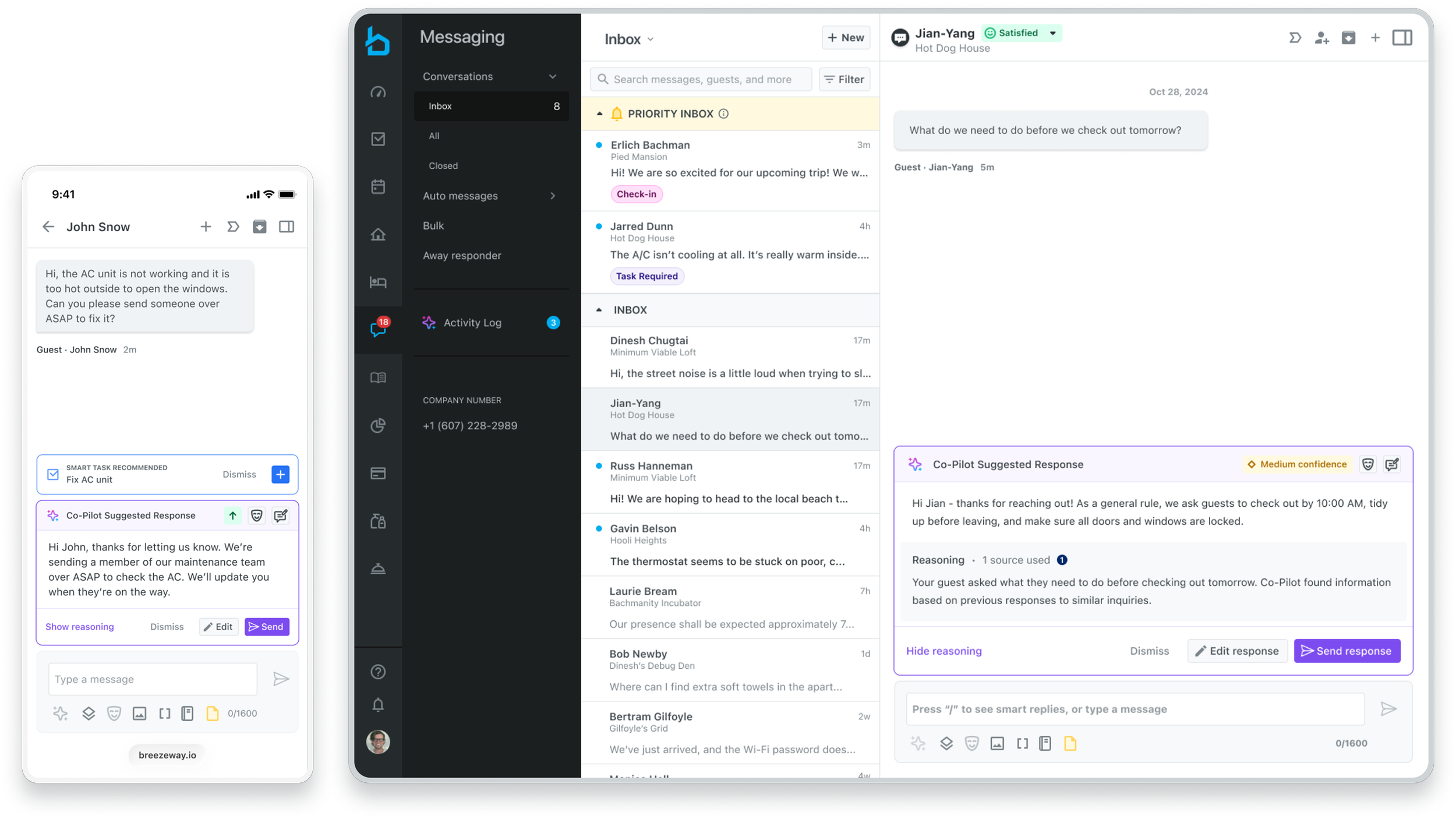
Role: Senior Product Designer
Scope: Strategy, system design, conversation design, UI
Platforms: Guest Experience (Messaging + Upsells
The Problem
Property managers receive hundreds of repetitive messages—Wi‑Fi password requests, parking instructions, check‑in times, lock access questions, and more. Although this information already existed in the system, each inquiry still required a manual response.
The Result
Slower response times
Operational overload
No feedback loop to improve data
“Smart” replies required manual approval
The Opportunity
We had three core assets in place:
Blueprint — a central knowledge base
Property Profiles — structured listing data
OpenAI API framework — Smart RepliesThe Result
The goal was a unified decision engine—drawing on Blueprint's knowledge, Property Profiles' structured data, the Smart Replies framework, and the wealth of data from millions of previous messages—that delivers contextual recommendations, automates decisions, and continuously learns from responses to keep its data sources current.
The Automated Guest Management Flywheel
Over the past 6–7 months, I helped build the foundation for an automated guest management flywheel, centered on two components: Blueprint, a central knowledge base, and custom property fields that let clients add listing-specific data to sharpen AI-powered replies.
The next phase moves into automating the guest experience—using structured data to train the AI and power intelligent auto-replies. By nudging clients to continuously enrich the core data layers, the loop reinforces itself over time, so replies keep getting smarter.
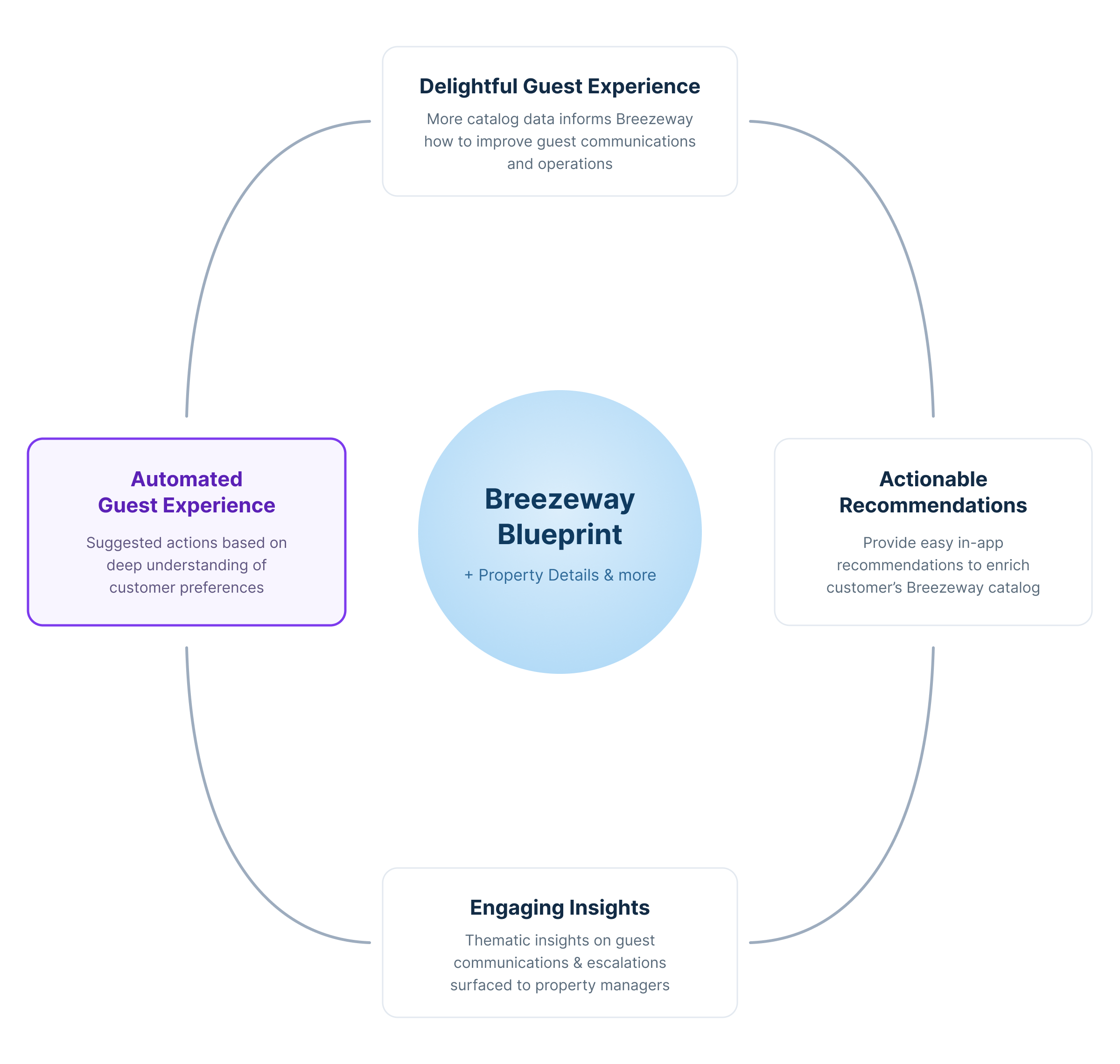
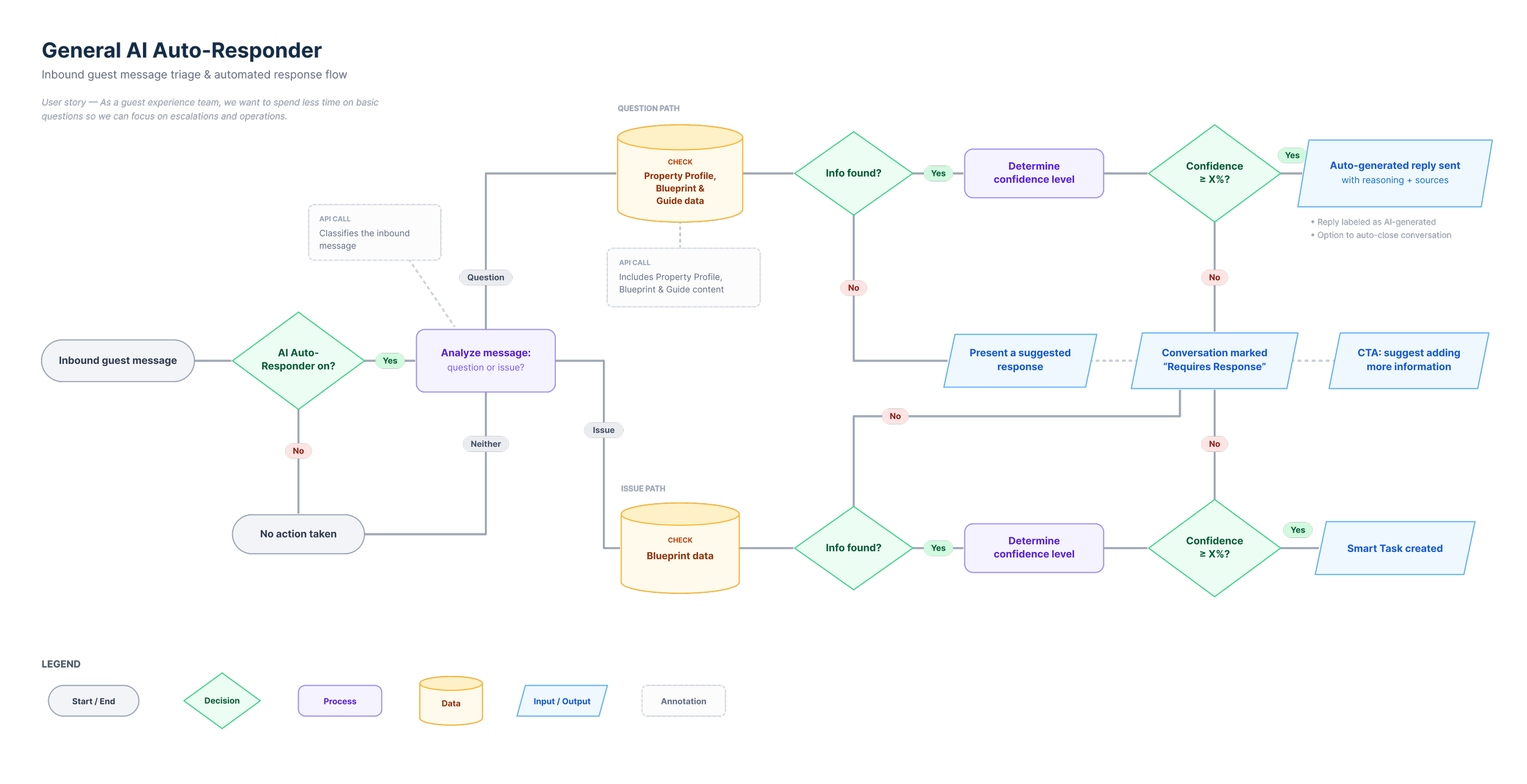
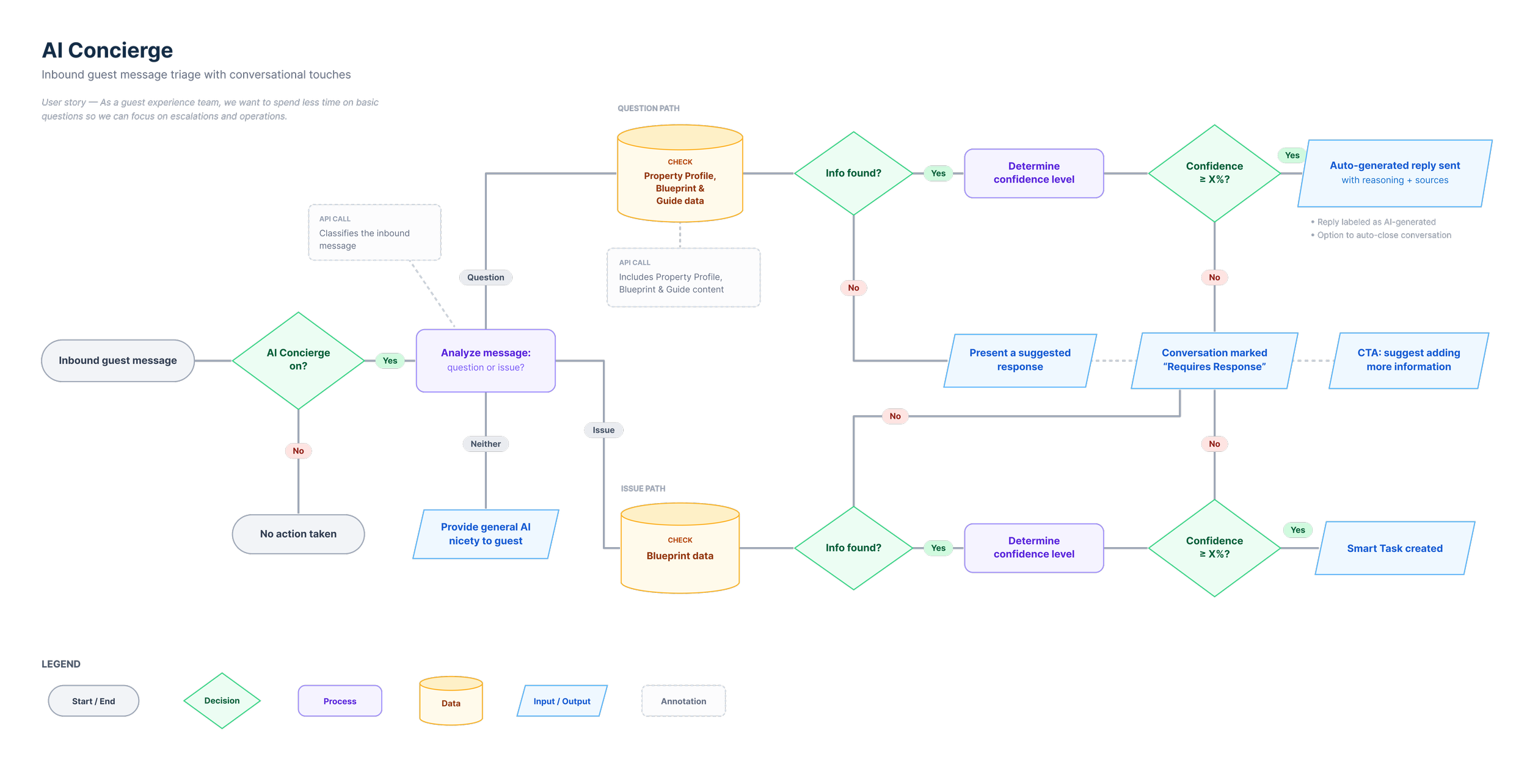
System Overview - How It Works
Designing for Trust
Automation without trust fails.
CONFIGURABLE
Confidence threshold (80–100%)
Smart reply schedule
Tone customization
Delay control
Auto-close toggle
CO-PILOT MODE
AI suggests responses but never sends
Used for onboarding and QA confidence building
There will always be some users that will never want Autopilot
AUTOPILOT MODE
AI sends responses only when all rules are met
AI must have high confidence in answer to send response
Reverts back to Co-Pilot when rules are not met